Understand Password Cracking and Strengthen Your Defenses
Understanding the mechanics of modern password cracking is the first step to securing your sensitive files. Learn how attackers compromise weak defenses, and discover the encryption standards required to stop them.
Password cracking relies on automated techniques like brute force and dictionary attacks, often accelerated by GPUs. Defend accounts with unique passwords from a password manager and phishing-resistant MFA where available. For files, distinguish edit restrictions from encryption, use a maintained format, protect recovery keys, and keep readable copies and endpoints secure.
Is Password Cracking Illegal?
Accessing or testing systems without authorization can violate criminal, civil, employment, and contractual rules. Laws differ by jurisdiction, so perform security testing only under clear written authorization and an agreed scope.
WiFi Password Cracking Legal Consequences: Do not attempt to access another person’s or organization’s network. Authorized penetration testing should have a written scope, named systems, approved methods, timing, data-handling rules, and a stop-and-report process.

Password Cracking Techniques Explained
To defend a document, you must understand how security software like a "zip password cracker" or "brute force password excel" script actually functions. Modern cracking does not involve guessing passwords manually; it relies on mathematics and raw computational horsepower.

Brute Force Attacks
A brute-force attack tries candidate secrets systematically. Feasibility varies enormously with online rate limits, lockouts, the file format, password-derived key function, hardware, and the way the password was chosen. Length helps, but no fixed character count guarantees a particular cracking time.
Dictionary Attacks
Instead of random characters, this technique uses massive lists of known words, leaked passwords, and frequent phrases (e.g., "password123"). Attackers apply mutation rules (substituting 'a' with '@') to cover variations. This is highly effective against user-created passwords.
Rainbow Tables
Account systems normally store password verifiers rather than plaintext passwords; encrypted files usually derive a key from the password using format-specific parameters. Unique salts and deliberately expensive key derivation reduce the value of precomputed tables, but weak passwords can still be guessed offline.
The Threat of Hardware Acceleration (GPU Cracking)
Queries like "7-zip aes-256 password cracking speed gpu" reveal a critical truth: attackers use graphics cards (GPUs) instead of standard processors (CPUs) to run cracking algorithms. Guess rates vary by algorithm and configuration by many orders of magnitude. Use long, unique generated passwords or passphrases, a modern password-derived key function, current software, and protected recovery material; composition alone is not the only defense.
Password Vulnerability Evaluator
Enter a made-up example to explore how length and character-set size change the theoretical search space. Do not enter a real password. The estimate assumes a fixed guess rate and does not predict a real format, service, attacker, lockout, or key-derivation cost. The calculation runs in your browser.
Reasons Document Password Protection Is Not the Same as Encryption
When evaluating "document password security," many users mistakenly believe that any password prompt equals total security. This is fundamentally false and leaves files vulnerable to basic bypass scripts.
Permissions Password vs Open Password
Applications like Microsoft Word or Adobe Acrobat offer two distinct layers of protection:
- Permissions Password (Restriction): This simply tells the software, "Please don't let the user edit or print this file." The actual content of the file is entirely unencrypted. Any basic "crack password-secured pdf" tool simply strips the metadata flag telling the software to restrict editing. It takes seconds and requires no brute forcing.
- Open Password (Encryption): This requires a password to open the file at all. In modern versions of Office, setting an open password actually encrypts the file's binary contents using AES. Without the key, the file is mathematical garbage.

Defending Files withFolder Lock
Choose protection by file format, sharing needs, recovery design, and threat model. Current Office encryption, maintained encrypted archives, and evaluated vault products can each fit different workflows; no product definitively stops every offline attempt.
Folder Lock is one commercial vault option. Verify its current cipher mode, password-derived key design, supported platforms, recovery, export, and update policy in vendor documentation. A strong cipher does not eliminate password guessing, endpoint compromise, implementation flaws, or readable copies.
- ✓ Encryption: Review the complete implementation and key-management design, not only key size.
- ✓ Kernel-Level Safe Mode Protection: Stays locked even if an attacker reboots your machine in Safe Mode.
- ✓ Auto-Protection on Idle: Automatically secures your open documents the moment you step away.
- ✓ Portable Security: Convert your secure environment into a portable file for USB drives or email.
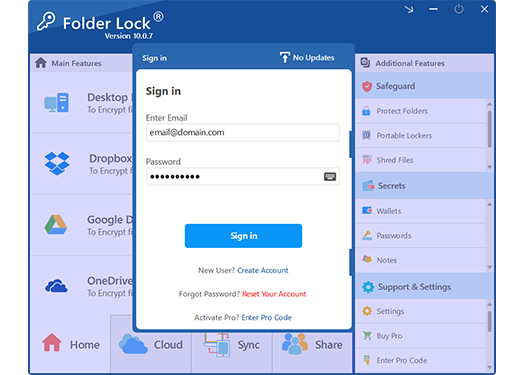
Folder Lock Dashboard
[ AES-256 Locker Active ]
Status: Encrypted & Hidden
Security Features Breakdown
How a dedicated tool handles document security compared to native functions.
Batch Protection
Instead of manually entering a password for 50 various Word documents, Folder Lock lets you secure an entire folder simultaneously, applying uniform AES encryption across all contents.

Data-in-Use Control
Sometimes you need to let someone view a file but prevent them from altering it. Advanced access controls let you mathematically restrict modifications or prevent accidental deletion while the document remains accessible.

Stealth Mode Configuration
Stealth can reduce casual discovery, but it is not a security boundary. Assume an examiner or malware can discover installed software and hidden data; rely on encryption and access control.

Zero-Knowledge Remote Sharing
Emailing a password alongside a protected document defeats The goal of encryption. Some sharing systems use recipient keys so a master password is not sent. Verify recipient identity, revocation, metadata exposure, and recovery behavior before use.
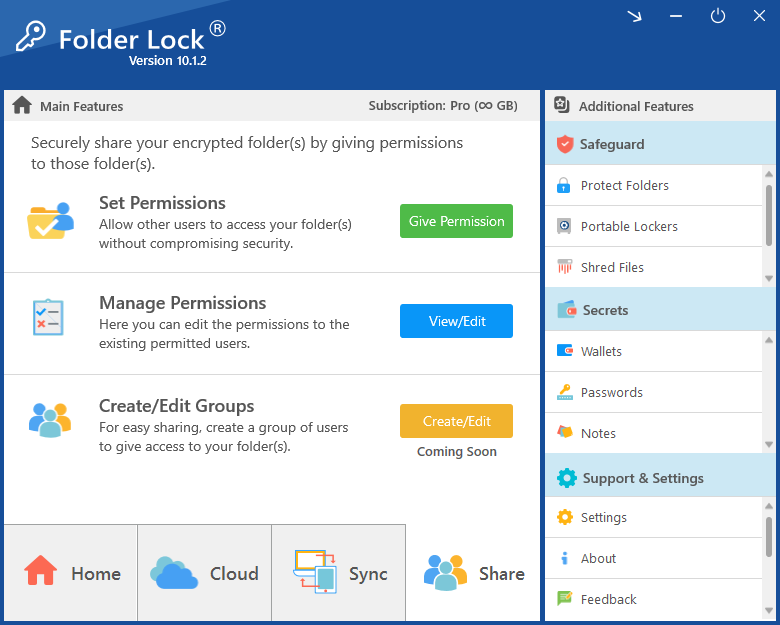
Cloud & USB Integration
Encrypted containers may be stored in cloud folders or on USB media, but test sync conflicts, restore, format support, and recovery first. Do not assume a proprietary portable file opens on every device.

Problem Solving & Owner-Safe Recovery
A frequent scenario leading users to search for "crack password-secured word document" is simply forgetting their own password. since strong encryption works exactly as intended, recovery is deliberately difficult. Here are the official, safe approaches for regaining access to your files.
| Protection approach | Can be bypassed? | Vulnerable to Brute Force? | Safe Mode Bypass? | Owner Recovery choices |
|---|---|---|---|---|
| Word "Restrict Editing" | Yes (Metadata edit) | N/A | Yes | Save as new file / Remove tags |
| Word "Open Password" (Modern) | No | Yes (If weak) | Yes | None (File is lost without key) |
| Legacy ZIP Encryption (ZipCrypto) | Yes (Known plaintext) | Yes | Yes | external recovery tools |
| Folder Lock (AES-256 Locker) | No | No (Mathematically secure) | No (Kernel-level driver) | Master Key / Serial verification |
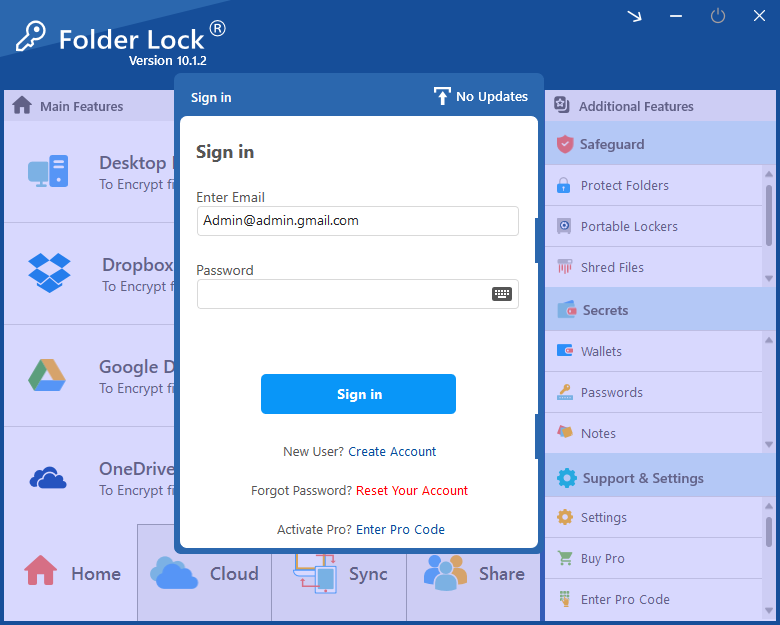
Ways to recover Folder Lock password?
If you have lost access to your Folder Lock dashboard, you cannot simply "crack" the software. You must use the authorized recovery mechanism:
- Open Folder Lock and navigate to the login screen.
- Click on the Forgot Password? link.
- You will be prompted to enter the Master Key or the Serial Number associated with your registered license email.
- Once verified, the software will let you reset your master password.
Note: If you are using the free version or have lost your serial number, the encrypted lockers remain permanently sealed. This is by design to ensure zero-knowledge security.
Ways to uninstall Folder Lock without password?
To prevent malicious actors from simply uninstalling the software to expose hidden files, Folder Lock requires the master password for uninstallation. Do not manually delete registry keys based on generic instructions. Use the vendor’s current support and uninstaller guidance, preserve backups, and understand that removing an application does not necessarily recover encrypted data.
Common Questions and Answers
Stop Relying on Basic File Passwords
Understanding how hackers crack passwords reveals the inadequacy of native document restrictions. While a 7-zip archive or a Word document password can deter casual snooping, they are vulnerable to automated offline attacks. Use layered controls: unique passwords, MFA for accounts, maintained encryption for sensitive files, secure endpoints, limited sharing, backups, monitoring, and tested recovery.